Documentation
FileDrop
Installing FileDropNodal VPN
Getting Started with Nodal VPNSigning up for Nodal VPN
Deploying Nodal Agent on Proxmox
Deploying Nodal Agent on VMware ESXi
Deploying Nodal Agent on Hyper-V
Creating a VPN Network
Nodal VPN Client Configuration
Installing the Windows VPN client
Connecting the Nodal VPN Client
Setting a static IP on the Nodal Agent
Password Express
Getting Started with Password ExpressSigning up for Password Express
Installing Windows Connect
Performing a Password Reset
Configuring Authentication Policies for Password Reset
Enrolling a User
Secure File Exchange
Installing on WindowsInstalling on Linux
Installing an SSL Certificate
Uninstalling (All Platforms)
Virtual File System
Browsing Files
Sharing Files
Upload Forms
Incoming Files
Sharing Shortcodes
File Systems
Mounting External FilesLocal Files
Plan Storage
SFTP Folders
Windows Shares
S3 Buckets
Goggle Cloud Storage
Azure Containers
Configuring 2FA for VPN
It’s possible to configure multiple Authentication Policies within the Nodal VPN server. Using this function you can assign different Authentication Policies for different users or roles.
Here, we will focus on adding extra authentication specifically to VPN Client access. To begin navigate to Security->Authentication Policies.
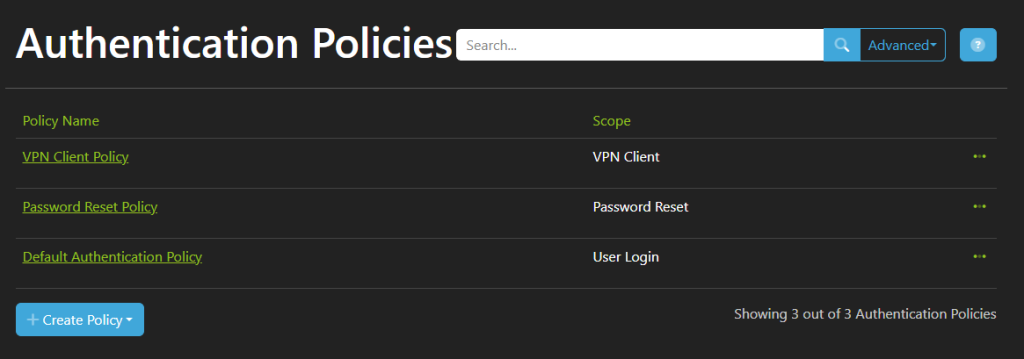
Edit the existing VPN Client Policy by clicking on its name.
Note: It is also possible to create a new policy by clicking Create Policy, then selecting VPN Client. You would do this if you wanted to grant differing authentication for different groups of users.
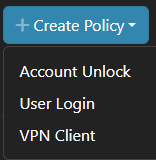
For now though, editing the existing policy should be acceptable.
After selecting the existing VPN Client Policy <TODO>
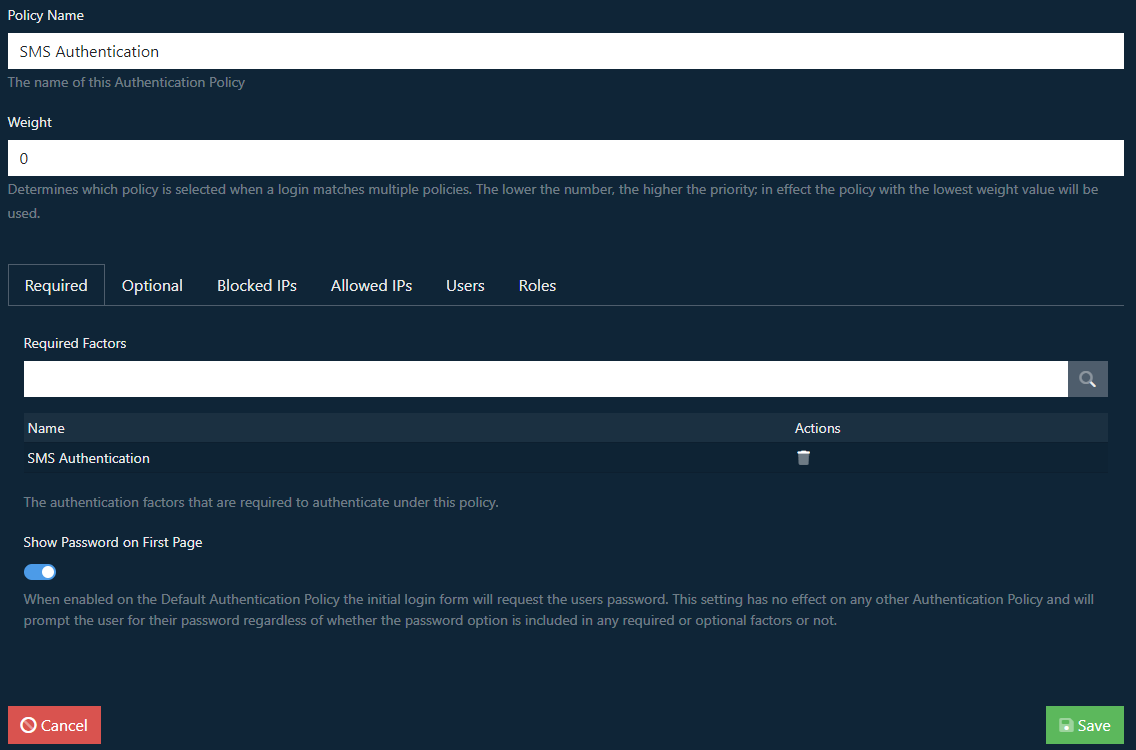
Set the name for the Policy, in this case we’re going to make an SMS policy. The Weight sets the priority of the policy, the lower this value the higher priority the policy will have. You can then specify the Required authentication modules that must be provided, as we’re making an SMS policy we’ll add that to the list.
The additional tabs allow configuration of additional optional authentication modules, blocking or allowing IPs.
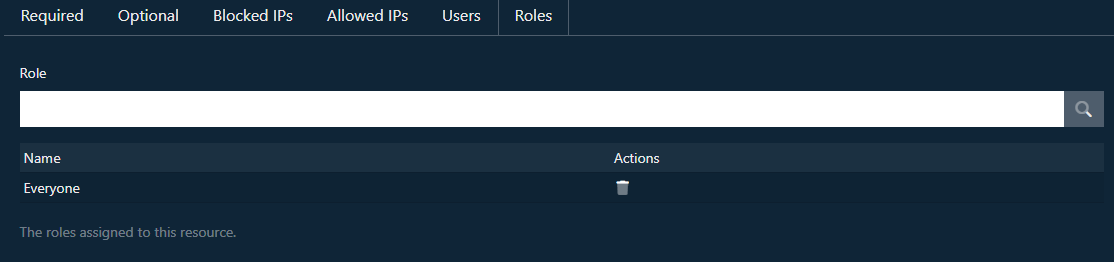
The Users and Roles tabs allow assignment of the policy to particular user accounts and roles.